


Go to Android platform Display platforms icon
Go to Android platform Go to Windows platform Go to Mac platform
App Lock Master icon

App Lock Master

2.2.4
23 reviews
43.4 k downloads
security security

Block access to your apps or files with lock patterns

Advertisement
Remove ads and more with Turbo
Advertisement
Remove ads and more with Turbo
Uptodown Content Team icon
Reviewed by
Uptodown Content Team
Review written by Uptodown's in-house Editorial Team using the insights provided by DUALSPACE group. Translated by Uptodown Localization Team

App Lock Master is a very useful app for keeping any kind of content on your Android 'under lock and key' using lock patterns. Without a doubt, this is the perfect tool for people who constantly share their smartphones with others or who just have important data that they want to protect.

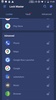
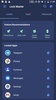
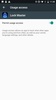
The first thing you have to do when you open App Lock Master is to accept the required permissions and turn on the corresponding tab to let the platform do its job perfectly. Once you have done this first step, the next thing you have to do is scroll and separate the apps or files that you want to protect with the lock pattern. This is as simple as tapping the tab on the right of each one.

Advertisement
Remove ads and more with Turbo

Once this first process is over, you need to choose how you prefer to protect your files or apps. To do this, App Lock Master will produce a full-screen pattern for you to set the combination you want. You will have to repeat it several times, and, once done, you will have to draw the pattern to correctly open and access the apps you have protected.

App Lock Master is a platform you can use to easily and quickly protect any kind of content or app on your Android with lock patterns.

Requirements (Latest version)

  • Android 5.0 or higher required

Information about App Lock Master 2.2.4

Basic information

Developer DUALSPACE group
License Free
Category Security/Performance
Rating +3
Languages English
46 more

Security and privacy

Required permissions
211
Advertising Not specified
Certificate signature 6c86f41fd184f0cd198df3668ff8abc7
See security and antivirus report
Why is this app published on Uptodown? (More information)

Download info

Downloads 43,381
Date Aug 27, 2022
File type APK
Size 21.23 MB
SHA256 1029ab7a681d09a9c1cf46d238d2191e359a34aa3e39650c367ff927ed5a8060

Technical details

Package Name com.ludashi.superlock
Advertisement
Remove ads and more with Turbo

Older versions

See more
apk 2.2.2 Android + 5.0 Aug 11, 2022
apk 2.2.1 Android + 5.0 Aug 9, 2022
apk 2.1.9 Android + 5.0 Jul 1, 2022
apk 2.1.8 Android + 4.4 May 1, 2022
apk 2.1.7 Android + 4.4 Apr 9, 2022
apk 2.1.6 Android + 4.4 Jan 22, 2022

Rate this App

Review the app
App Lock Master icon

Rating

4.7
5
4
3
2
1
23 reviews

Comments

See more
glamoroussilverpapaya43903 icon
glamoroussilverpapaya43903
in 2022

Beautiful

1
Reply
See more
Advertisement
Remove ads and more with Turbo
Life360 icon
Find out where your inner circle are
Samsung Good Lock icon
Customize your Samsung smartphone's lock screen
Bitdefender Antivirus Free icon
Eliminate viruses from your Android smartphone and keep it protected
Calculator Lock - Video Lock & Photo Vault – HideX icon
Hide private information with an app that looks like a calculator
Microsoft Authenticator icon
Microsoft's two-step verifier
McAfee Security: Antivirus VPN icon
Total protection for your Android device
Avast Antivirus & Security icon
Protect your Android devices from viruses, spyware, and snoops
Xiaomi Security icon
Xiaomi's official security and maintenance app
Uptodown App Store icon
All the apps you could ever want on your Android
ProtonVPN icon
A powerful and free VPN
Google Chrome icon
The official Google browser
TunnelBear VPN icon
Access any website in the world, from anywhere in the world.
Opera Browser icon
The Opera browser, fully operational on your Android device
Google App icon
The official Google app
Google Play services icon
Essential app to keep your apps up to date
18+ icon
18+
A secure web browser with integrated VPN